Where will floodwater actually go, and how deep will it get?
Built a 2D hydrodynamic modeling workflow to simulate flood behavior under different scenarios, turning terrain and rainfall inputs into depth and extent maps that hazard planners can act on. This case study uses only public-domain, synthetic, or sanitized examples.
Highlights
What the model outputs were intended for and how the workflow is organized.
Objective
- Simulate flood behavior and identify flow paths.
- Generate flood depth and extent maps for planning.
- Support interpretation with clear spatial outputs.
Approach
- Prepare terrain, roughness, and boundary conditions.
- Run 2D simulations and review stability and QC.
- Post-process rasters and map final outputs.
Tools
- FLO-2D for model setup and simulation.
- GIS for terrain preparation and output mapping.
- Python for automation and summary workflows.
My Role
- Set up model inputs and configured parameters.
- Executed simulation runs and performed QC checks.
- Generated GIS-ready outputs and final maps.
Key Takeaways
- Input quality (terrain and roughness) strongly drives output reliability.
- Consistent QC steps reduce reruns and improve the defensibility of results.
- Depth and extent maps communicate simulation results clearly to stakeholders.
Model Setup
Prepare terrain, roughness, and boundary conditions to define a stable and physically representative simulation domain.
- DEM processing and computational grid preparation.
- Assign roughness and land-cover parameters to grid elements.
- Define inflow and outflow boundaries and design event assumptions.

Simulation & QC
Run the model across event scenarios and verify the stability and physical consistency of simulation outputs.
- Execute scenarios across design events, durations, and sensitivity cases.
- Check output stability and sanity: flood depth, velocity, and mass balance.
- Iterate model settings to resolve numerical artifacts if needed.
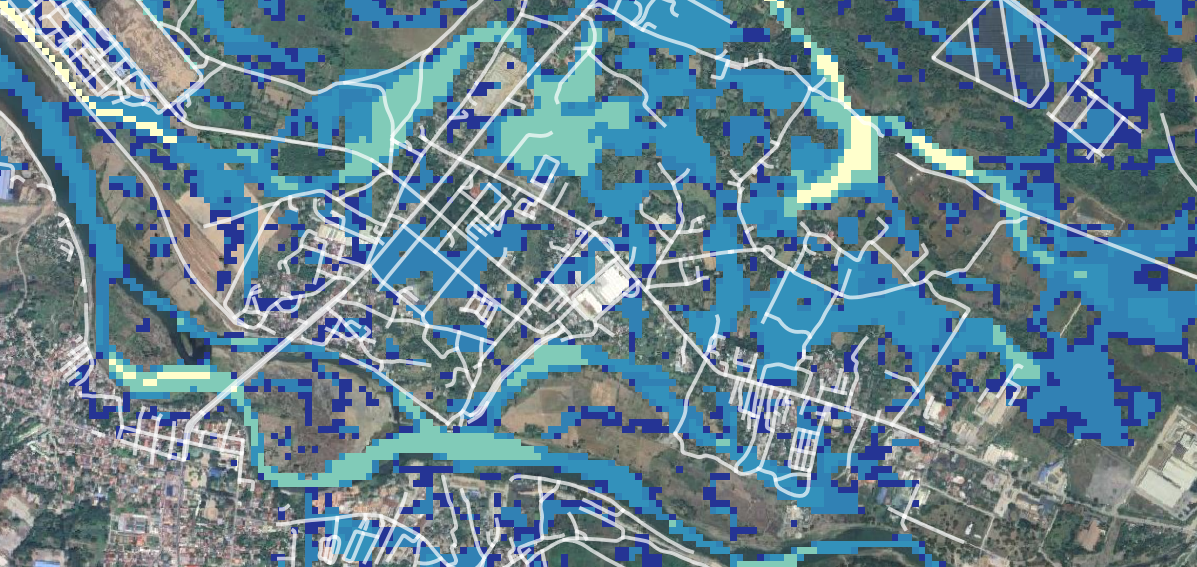
Post-processing & Outputs
Convert simulation results into GIS-ready products and decision-ready maps for reporting and downstream analysis.
- Export flood depth and extent rasters and contour layers.
- Compose final maps and summary figures for reporting packs.
- Package outputs for downstream hazard exposure analysis.

Data Privacy Note
This case study is generalized and displays only public, synthetic, or sanitized examples. No client-confidential information is included.